
Data is the lifeline of informed decision-making. Among the plethora of tools available, Google Search Console (GSC) and Google Analytics (GA) stand out as essential for optimizing website performance. While these tools serve distinct purposes, integrating them can unlock unparalleled insights for marketers, webmasters, and business owners alike. This comprehensive guide delves into the differences, benefits, and how to effectively integrate GSC and GA.
What Is Google Search Console (GSC)?
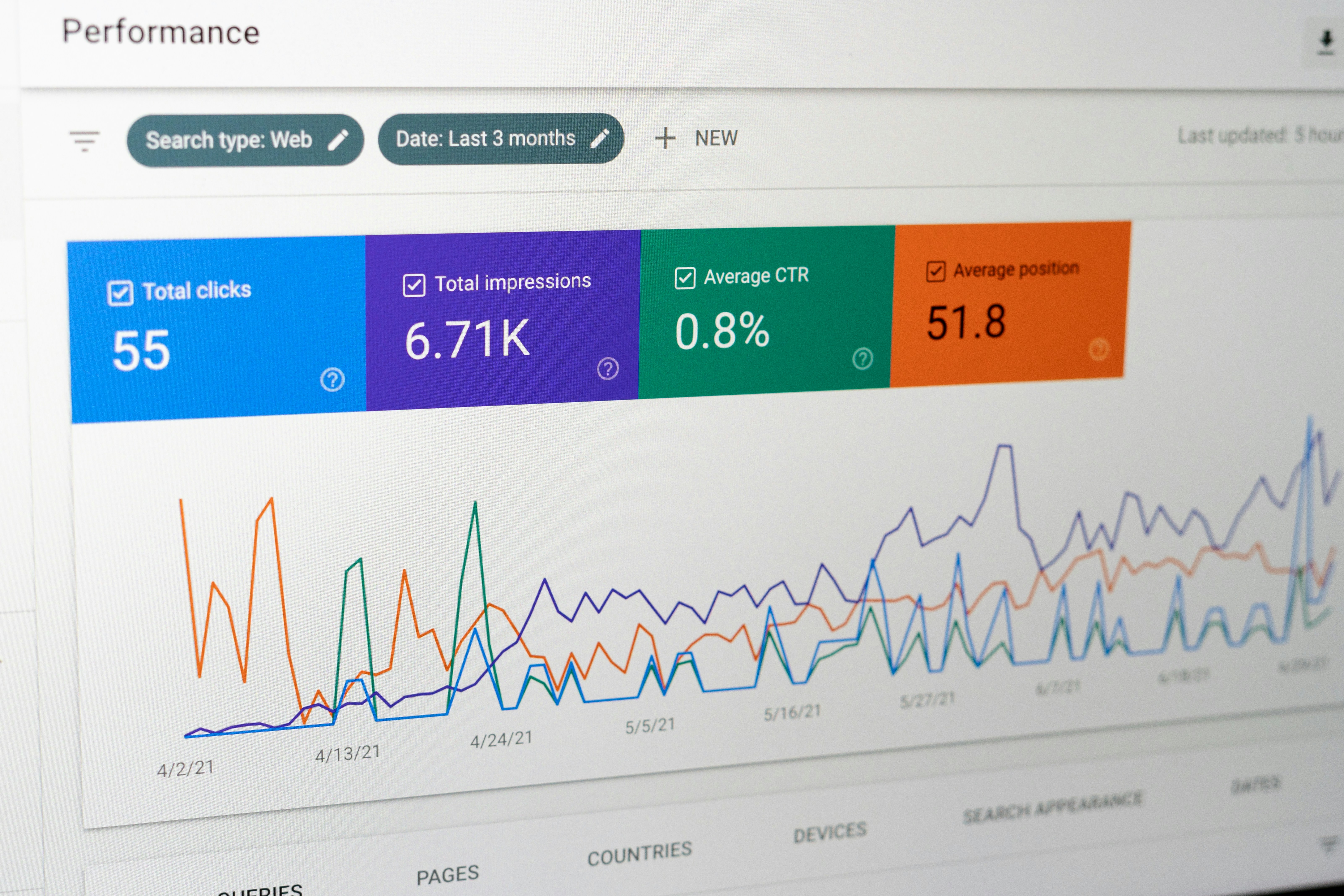
Google Search Console (GSC) is a free tool provided by Google that helps you monitor your website’s performance in search results. It focuses specifically on improving your organic visibility by identifying issues that may prevent your content from ranking. For SEO professionals and webmasters, GSC is a cornerstone for technical and performance optimization.
One of GSC’s standout features is its ability to provide search traffic metrics, such as impressions, clicks, and average position for specific queries. It also helps resolve technical issues with indexing and structured data, which are crucial for search visibility. For example:
- Performance Metrics: Analyze your top-performing keywords and pages.
- Index Coverage: Find and fix pages with indexing errors.
- Core Web Vitals: Address speed and mobile usability problems.
By using these features, you can identify areas where your website may be underperforming in search.
GSC is most beneficial for anyone managing a site’s search engine optimization (SEO) efforts. Whether you’re troubleshooting why a page isn’t ranking or identifying new keyword opportunities, GSC provides the data you need to take actionable steps. It’s an essential tool for ensuring your website ranks high and remains competitive in search engine results.
Key Features of GSC
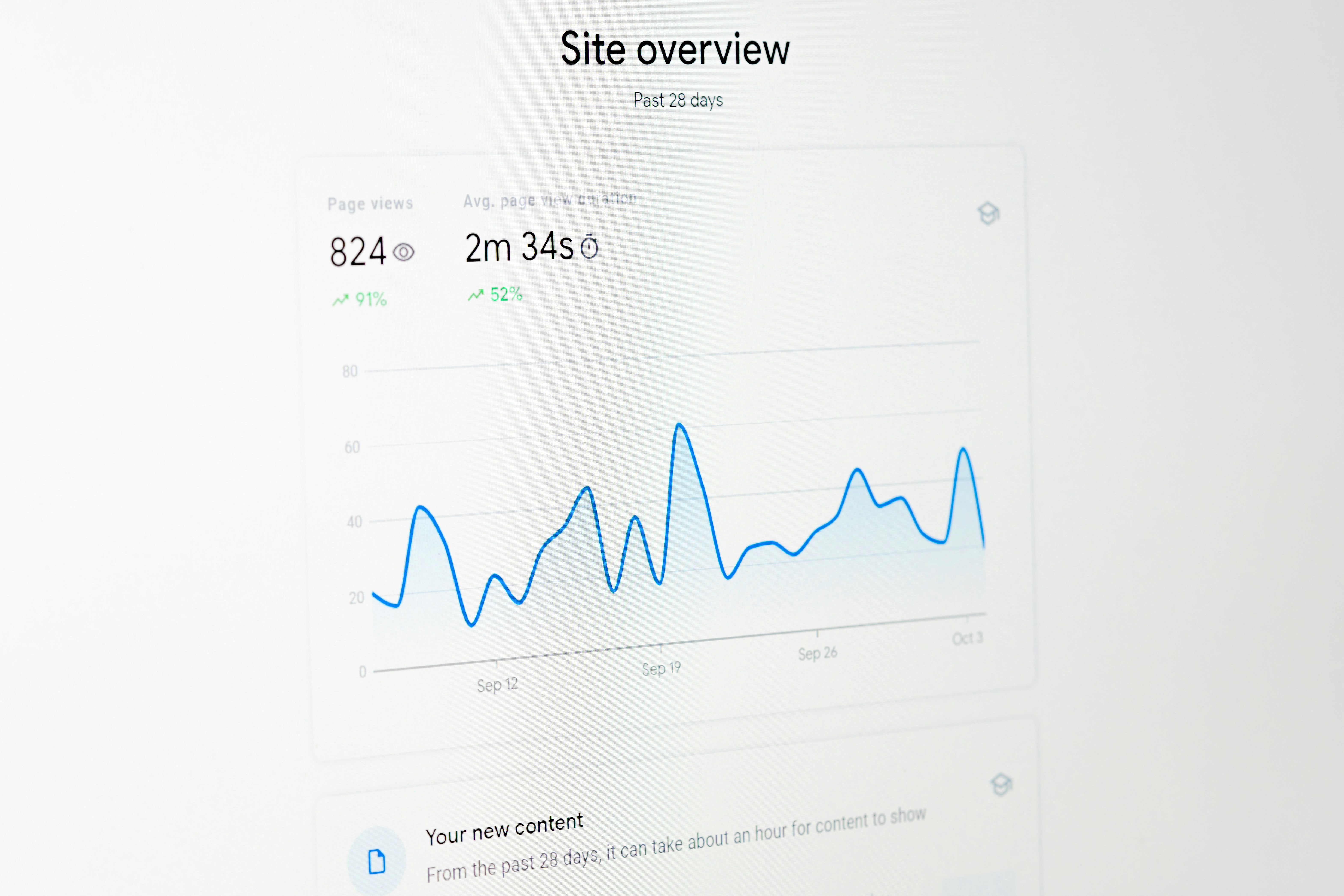
Google Search Console (GSC) is a powerful tool that provides essential insights to help optimize your website’s performance in search results. It offers detailed reports and diagnostics to improve visibility, address issues, and enhance user experience. Whether you’re troubleshooting problems or tracking your site’s progress, GSC equips you with the data needed to succeed in search engine optimization (SEO).
- Performance Metrics
- Analyze search traffic data, including impressions, clicks, CTR (Click-Through Rate), and average position for specific queries. Use this information to refine your content strategy and improve rankings.
- Index Coverage
- Identify which pages Google has indexed and resolve any errors, such as those caused by blocked resources or crawl anomalies. Ensuring full indexation increases your site’s visibility.
- Sitemap Submission
- Submit XML sitemaps to guide Google in crawling and indexing your website more efficiently. This step is especially valuable for large sites or sites with complex structures.
- Search Enhancements
- Monitor structured data, Core Web Vitals, and mobile usability to ensure your site meets modern search engine requirements. Fixing these issues improves both user experience and rankings.
- Security and Manual Actions
- Stay informed about security issues like hacking attempts or malware. Address penalties due to guideline violations promptly to restore your site’s search visibility.
Google Search Console is an indispensable tool for anyone managing a website, from small business owners to SEO professionals. Its features provide a comprehensive way to monitor and optimize your site’s performance in search results. With GSC, you can uncover opportunities, fix problems, and ensure your site is well-positioned for long-term success in organic search.
Who Should Use GSC?
Google Search Console (GSC) is a vital tool for webmasters, SEO professionals, and anyone aiming to improve their website’s organic search performance. It provides insights that help you optimize your site for better visibility and user engagement. Whether you manage a small blog or a large e-commerce site, GSC can guide your search engine optimization (SEO) strategy with actionable data.
- Which search queries drive the most traffic?
- Identify the keywords and phrases that bring visitors to your site. Use this data to create more targeted content and improve click-through rates (CTR).
- Are there indexing errors affecting visibility?
- GSC flags issues like broken links, crawl errors, or blocked pages that may prevent your site from appearing in search results. Resolving these errors ensures your content is fully accessible to search engines.
- How can site performance in search results be improved?
- Access reports on metrics like CTR, average position, and impressions to fine-tune your SEO strategy. Address performance issues like slow loading times or mobile usability problems to enhance rankings.
Google Search Console is a must-have tool for improving search performance. It helps uncover problems, identify opportunities, and track progress over time. With it, you gain the insights needed to refine your strategy and achieve long-term SEO success.
What Is Google Analytics (GA)?
Google Analytics (GA) tracks user behavior on your website, providing insights into what happens once visitors arrive. Unlike GSC, which focuses on search performance, GA helps you analyze user engagement and optimize their journey through your site. This makes it invaluable for marketers aiming to boost conversions.

One of GA’s most powerful features is traffic analysis, showing how visitors find your site and what they do while there. With GA, you can:
- Track Conversions: Set up goals for actions like purchases or form submissions.
- Understand Bounce Rates: See which pages cause visitors to leave.
- Analyze Campaigns: Measure marketing success through UTM-tagged links.
These insights let you refine everything from landing pages to ad campaigns, ensuring a seamless user experience. In summary, GA is best suited for business owners, analysts, and marketers who want to understand how users interact with their site. By leveraging its data, you can optimize your site’s design, content, and conversion paths to maximize results.
Key Features of GA
Google Analytics (GA) is a powerful tool for understanding and improving your website’s performance. It provides detailed data about your audience, their behavior, and how they interact with your site. By leveraging its features, you can make informed decisions to optimize user experience and achieve your goals.
- Traffic Analysis: Understand where your visitors come from—whether it’s search engines, social media platforms, referral links, or direct visits. This helps you focus your efforts on the most effective channels.
- User Behavior: Track user journeys, including which pages they visit, how much time they spend on your site, and where they drop off. Use this data to improve navigation and content engagement.
- Conversion Tracking: Monitor key actions like purchases, form submissions, or downloads to measure the effectiveness of your calls-to-action (CTAs). Optimize pages that contribute most to your goals for better results.
- Demographics & Interests: Gain insights into your audience’s age, location, and preferences to tailor content and offers that resonate with their needs. This helps create personalized and targeted marketing strategies.
- Campaign Tracking: Use UTM parameters to track the performance of specific campaigns. Identify which email, ad, or social post generates the most traffic and conversions.
Google Analytics offers a comprehensive suite of features that provide deep insights into your website’s performance. By analyzing traffic, user behavior, and conversions, you can pinpoint areas for improvement and build effective strategies. With GA, you can align your website’s goals with actionable data for long-term success.
Who Should Use GA?
Google Analytics (GA) is an essential tool for marketers, analysts, and business owners who want to understand and improve their website performance. It provides detailed insights into user behavior, traffic sources, and audience demographics, helping businesses make informed decisions. Whether you’re running a small blog or managing a large enterprise site, GA equips you with the data needed to optimize user experiences, increase conversions, and target key audience segments effectively.
- Optimize user experiences: Analyze how visitors navigate your site, identify bottlenecks, and improve page layouts or content to enhance usability and engagement.
- Increase conversions: Track key actions such as purchases, sign-ups, or downloads to understand what drives results. Use this data to refine your funnels and maximize ROI.
- Identify and target key audience segments: Use demographic and interest reports to uncover valuable insights about your audience’s preferences, allowing you to tailor marketing efforts and improve relevance.

Google Analytics is a must-have tool for anyone aiming to make data-driven decisions. It empowers you to understand your audience, optimize their journey, and achieve your business goals. With GA, you can turn raw data into actionable strategies for growth.
Key Differences Between GSC and GA
While GSC and GA both provide valuable data, they have distinct purposes. Understanding these differences ensures you’re using the right tool for the right insights. GSC focuses on search performance, while GA provides a broader view of user behavior across all traffic sources.
Here’s a quick comparison of the two tools:
- Primary Focus: GSC optimizes your site’s presence in search results, while GA analyzes all website traffic.
- Metrics: GSC offers impressions, clicks, and search positions; GA provides bounce rates, session durations, and conversions.
- Scope: GSC tracks only organic search traffic, while GA tracks traffic from all sources, including social media and paid ads.
| Aspect | Google Search Console (GSC) | Google Analytics (GA) |
|---|
| Primary Focus | Search-specific insights and performance | Overall website performance |
| Metrics Provided | Impressions, clicks, CTR, average position | Traffic sources, user behavior, conversions |
| Scope | Organic search traffic only | All traffic sources |
| Purpose | Optimize visibility in search results | Improve user engagement and conversions |
While GSC and GA both provide valuable data, they have distinct purposes. Understanding these differences ensures you’re using the right tool for the right insights. GSC focuses on search performance, while GA provides a broader view of user behavior across all traffic sources.
Why Integrate Google Search Console and Google Analytics?
Integrating GSC with GA creates a unified platform that links search performance with user engagement metrics. This integration simplifies reporting and enables smarter, data-driven decisions about your website.
When integrated, GSC data enhances GA’s insights, allowing you to:
- Track organic keywords driving high-bounce-rate pages.
- Identify top-ranking pages and measure their conversion rates.
- Analyze landing pages by combining search and user behavior data.
These combined insights provide a deeper understanding of how users find and engage with your site.
Ultimately, integrating GSC and GA allows for better collaboration between SEO and marketing teams. With a unified view of performance, you can identify opportunities to improve both search visibility and user experience, ensuring greater overall success.
1. Unified Search and Behavior Insights
Integrating Google Search Console (GSC) with Google Analytics (GA) creates a powerful synergy, giving you a comprehensive view of how organic traffic interacts with your site. This integration allows you to uncover key insights, such as which search queries are bringing visitors to pages with high bounce rates or whether your top-ranking pages are effectively driving conversions. By combining GSC’s search data with GA’s user analytics, you can answer questions like:
- Which queries bring visitors to high-bounce-rate pages?
Link search queries in GSC with engagement metrics in GA to identify pages that need improvement. Mismatches between user intent and page content can be addressed through content updates, clearer navigation, or improved layout. - Are top-ranking pages driving conversions?
Determine if your best-performing pages in search are also delivering results, such as purchases, sign-ups, or other goals. For pages with low conversion rates, optimize CTAs, refine messaging, or improve overall usability.
By combining search data with user behavior metrics, you gain actionable insights that allow you to refine both your content and user experience. With the combined data, you can bridge the gap between search intent and user engagement, ensuring your site meets the needs of your audience while achieving your goals. This unified approach ensures you are driving traffic, effectively engaging with, and converting visitors.
2. Enhanced Reporting
With GSC and GA integrated, reporting becomes significantly more efficient and insightful. Instead of juggling multiple tools, you can access a single view of key metrics, blending search data with user behavior and conversion tracking. This integrated reporting capability saves time, reduces complexity, and makes it easier to present a cohesive performance narrative to stakeholders.
- Highlight trends: Spot patterns in search performance and user behavior that might be missed when viewing data in silos.
- Streamline analysis: Combine impressions, click-through rates, bounce rates, and conversions into one report for a holistic performance overview.
- Create custom dashboards: Build GA dashboards that integrate search data from GSC, allowing you to analyze organic traffic alongside user engagement metrics.
Enhanced reporting enables you to focus on interpreting data and making decisions rather than managing fragmented tools. By simplifying the reporting process, you ensure stakeholders have a clear and actionable view of your site’s performance.
3. Improved Optimization Strategies
The combination of GSC and GA provides unparalleled insights for refining your optimization strategies. With this integration, you can identify weaknesses and opportunities, such as underperforming pages or landing pages that need enhancements to better serve search traffic.
- Identify underperforming pages with high impressions but low engagement: Use GSC to find pages with high search impressions but poor performance in GA metrics like bounce rate or time on page. Optimize these pages by improving content, aligning it with search intent, or enhancing visual elements.
- Spot opportunities to improve landing pages for search traffic: Combine GSC’s landing page insights with GA’s engagement data to pinpoint which pages need better CTAs, faster load times, or more intuitive designs.
- Test and iterate: Implement changes based on these insights, then track the impact in both GSC and GA to refine your strategies further.
Improved optimization strategies driven by integrated data ensure your efforts are focused on areas with the most potential for impact. By addressing both search performance and user behavior, you can deliver a seamless experience that converts visitors into loyal customers. Over time, this approach ensures continuous improvement and alignment between search visibility and user experience.
How to Integrate Google Search Console and Google Analytics
Integrating Google Search Console (GSC) with Google Analytics (GA) gives you powerful insights into your website’s performance. This process links search data with user behavior metrics, allowing you to analyze everything in one place. By following these steps, you’ll unlock the full potential of both tools and make data-driven decisions more efficiently.

Step 1: Ensure Both Tools Are Properly Set Up
Use the same Google account for both tools to simplify the integration. This ensures smoother linking and consistent access. Before linking GSC and GA, ensure both tools are correctly configured:
- Verify your website in Google Search Console:
- Go to https://search.google.com/search-console and sign in.
- Add your website as a property.
- Complete verification using one of the provided methods, such as adding a meta tag, uploading an HTML file, or verifying through DNS.
- Set up Google Analytics:
- Sign in to GA at https://analytics.google.com.
- Create a new property for your website if needed.
- Install the tracking code on your website, or use Google Tag Manager for easier management.
Ensuring both tools are set up correctly is the foundation for integration. Without verification and tracking in place, the data cannot sync. Take your time to verify and set up accurately.
Step 2: Link Google Search Console and Google Analytics
Once both tools are set up, you can link them together to access integrated data. This step connects GSC’s search data with GA’s user analytics, giving you a unified view of performance. By completing this process, you’ll be ready to analyze combined insights in GA.
- Log in to Google Analytics:
- Navigate to the Admin section of the interface.
- Adjust Search Console settings:
- In the “Property” column, click Property Settings (for GA4, go to Data Streams > Web > Additional Settings).
- Scroll to the Search Console Settings section and click Adjust Search Console to begin linking.
- Select the verified GSC property:
- Choose your verified GSC property from the list of available options.
- Click Save or Apply to confirm the connection.
- Verify the integration:
- Check both GSC and GA to ensure the link was successful.
- Wait up to 48 hours for data to populate in GA.
Linking the two tools creates a seamless connection between search data and user behavior analytics. This step enables you to track metrics like impressions, clicks, and conversions in one place. Be sure to verify the connection to avoid missing valuable insights.
Step 3: Access and Analyze Integrated Reports
Once the tools are linked, you can start accessing the combined data in GA. These integrated reports allow you to analyze search metrics alongside user behavior for a complete view of performance. This step is where the real benefits of the integration become apparent.
- Find the Search Console reports in GA:
- In GA, go to Acquisition > Search Console to access the integrated reports.
- For GA4, navigate to Reports > Acquisition > Search Traffic to see linked data.
- Analyze combined metrics:
- View search data like impressions, clicks, and average position alongside engagement metrics like bounce rate and session duration.
- Check which search queries are driving traffic to specific landing pages and assess their performance.
- Use insights for optimization:
- Identify underperforming pages with high impressions but low engagement and improve their content, CTAs, or structure.
- Focus on high-performing queries and pages to refine your SEO strategy and drive more conversions.
Integrating Google Search Console and Google Analytics is a straightforward process that delivers big benefits. It saves time by combining two tools into one unified platform. The richer insights enable you to analyze and optimize the complete performance of your site, from search queries to conversions.
Best Practices for Using GSC and GA Together
Integrating Google Search Console (GSC) and Google Analytics (GA) is a powerful way to gain deeper insights into your website’s performance. Together, these tools provide the data needed to improve search visibility, user experience, and overall conversion rates. By following these best practices, you can create a cohesive strategy that maximizes the value of your organic traffic and enhances the effectiveness of your website.
1. Optimize Low-Performing Pages
GSC provides valuable insights into your pages’ performance in search results. Identify pages that have high impressions but a low click-through rate (CTR). This data highlights opportunities for improvement. To enhance CTR:
- Rewrite page titles to make them more compelling and aligned with user intent.
- Optimize meta descriptions with clear value propositions and calls to action that entice users to click.
- Check if the page’s content aligns with the search queries generating impressions to ensure relevance.
By optimizing these pages, you can turn impressions into clicks, increasing traffic and engagement without requiring new content creation. Maximizing CTR is a low-hanging fruit for achieving quick, measurable wins.
2. Track Conversions by Search Query
Understanding how search-driven visitors convert is critical for measuring the ROI of SEO efforts. Use GA’s goals to track key conversions such as form submissions, purchases, or other valuable actions.
- Monitor underperforming queries to identify gaps in the customer journey or content.
- Link GSC data to GA to see which search queries drive visitors that result in conversions.
- Evaluate the intent behind high-converting queries and replicate the strategies that work across other areas of your site.
Tracking conversions by search query ensures that your SEO efforts are aligned with your business objectives, helping you allocate resources effectively. This approach allows you to focus on what matters most—results.
3. Analyze Landing Pages
GSC and GA together provide a full picture of how your landing pages perform. Use GSC’s landing page data to see which pages attract the most organic traffic, then analyze their effectiveness with GA’s bounce rate, session duration, and conversion rate metrics.
- Test new layouts, headlines, or CTAs to improve engagement and conversions.
- For pages with high bounce rates or low session durations, assess whether the content matches the user’s search intent.
- Optimize navigation, visuals, and internal links to guide visitors toward desired actions.
Combining GSC and GA data allows you to pinpoint weaknesses in your landing pages, helping you transform them into high-performing entry points that drive conversions. With actionable data, you can continuously refine the user journey.
4. Monitor Core Web Vitals and Their Impact
Core Web Vitals are essential for a positive user experience and SEO success. Use GSC’s Core Web Vitals report to identify pages with performance issues, such as slow loading times or layout shifts. Then analyze the impact of these issues in GA:
- Check session durations and bounce rates for affected pages to see how performance impacts engagement.
- Prioritize fixing issues like Largest Contentful Paint (LCP) or Cumulative Layout Shift (CLS) to improve both search rankings and user satisfaction.
- Reassess metrics after optimizations to measure improvements in engagement and conversions.
Addressing Core Web Vitals issues not only improves search rankings but also enhances user experience, resulting in better engagement and long-term loyalty. A faster, smoother site benefits both users and your bottom line.
Conclusion
By leveraging the combined capabilities of GSC and GA, you gain a comprehensive understanding of how search behavior and user experience intersect. This integration empowers you to make data-driven decisions that improve organic traffic quality, on-site engagement, and overall business outcomes. When used effectively, GSC and GA are invaluable tools for building a high-performing, user-centric website.
By integrating these tools and following best practices, you can unlock powerful insights that drive growth. Ready to take your website to the next level? Start integrating GSC and GA today and discover the full potential of your data!
Discover your messaging opportunities today.

 Freelance Web Writer
Leave a comment